
🛒 How to Manage Purchases in MaltiTask – A Beginner’s Guide
Purchasing is one of the most crucial aspects of a business—whether you’re ordering raw materials, resupplying inventory, or sourcing third-party services. Without a proper purchase workflow, businesses risk overstocking, understocking, and late deliveries.
Thankfully, MaltiTask’s Purchase Module offers a smart, simple, and automated solution to manage all your procurement activities. It connects seamlessly with Inventory, Sales, and Accounting to streamline the entire purchase cycle—from request to receipt.
Let’s walk through how to configure and manage purchases in MaltiTask, step-by-step.
🔧 Enabling the Purchase Module
First, ensure the Purchase Module is installed and available on your MaltiTask dashboard.
📌 Menu Path:
Apps > Purchase
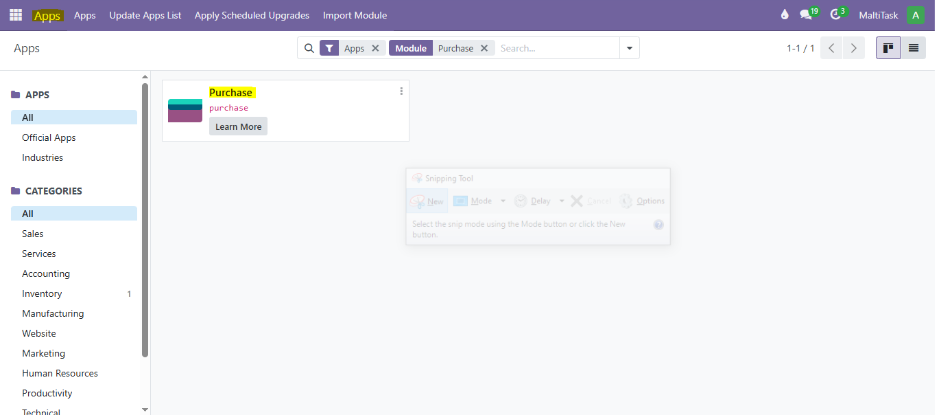
Once installed, click on the Purchase app from the main menu.
📋 Creating a New Purchase Order
To create a purchase order, go to:
📌 Menu Path:
Purchase > Orders > Requests for Quotation (RFQ)
Click the “New” button to create a fresh quotation.
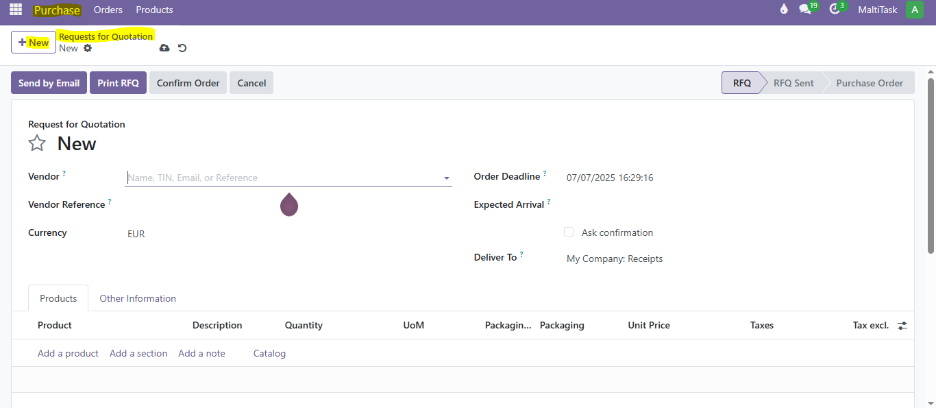
🧾 Filling RFQ Details
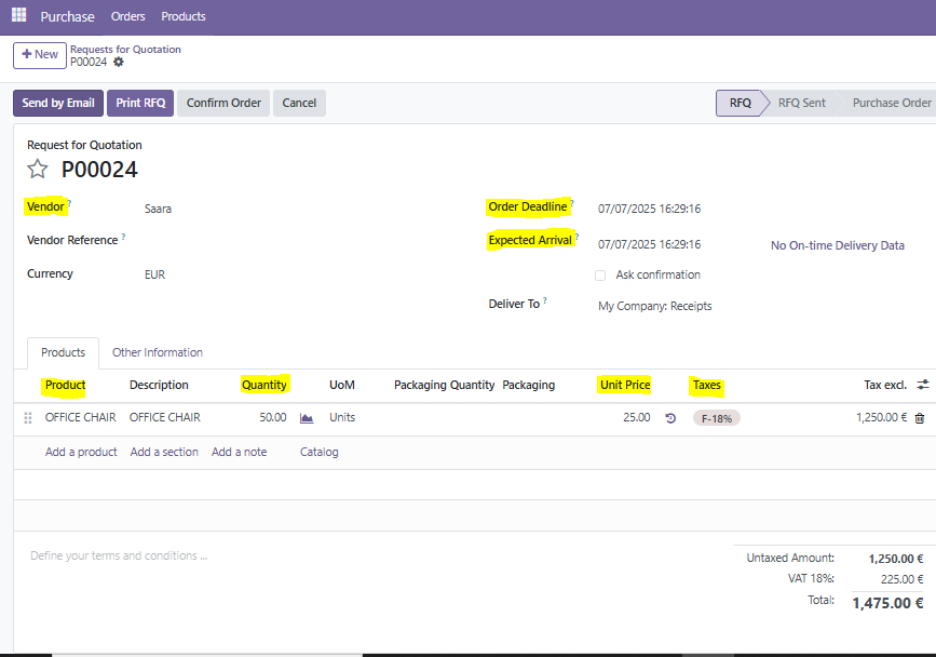
In the RFQ form, you’ll enter:
- Vendor – Supplier’s name
- Order Deadline – Last date to confirm order
- Delivery Date – Expected arrival date
- Products – Items to purchase
- Quantities & Unit Prices
Make sure to also choose the appropriate Purchase Agreement, Incoterm, or Payment Terms if needed.
🔄 Confirming the Order
Once you’re satisfied with the RFQ:
Click “Confirm Order” to convert the quotation into a formal Purchase Order.
This will also trigger downstream processes like inventory planning and vendor billing.
️
📦 Receiving the Products
After confirmation, MaltiTask automatically creates a receipt under:
📌 Menu Path:
Purchase > Orders > Receipts
or
From the Purchase Order → Click “Receive Products”
You can validate the quantities received against what was ordered. Partial receipts are also supported.
️
🧾 Vendor Bills and Payment
After receiving products, the next step is to process the Vendor Bill.
📌 Menu Path:
Purchase Order > Create Bill
Here, you can review amounts, adjust if necessary, and post the bill to reflect in your accounting module.
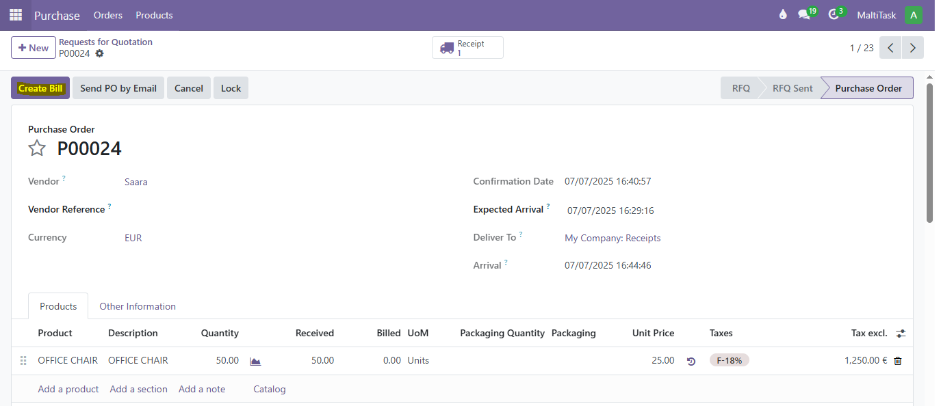
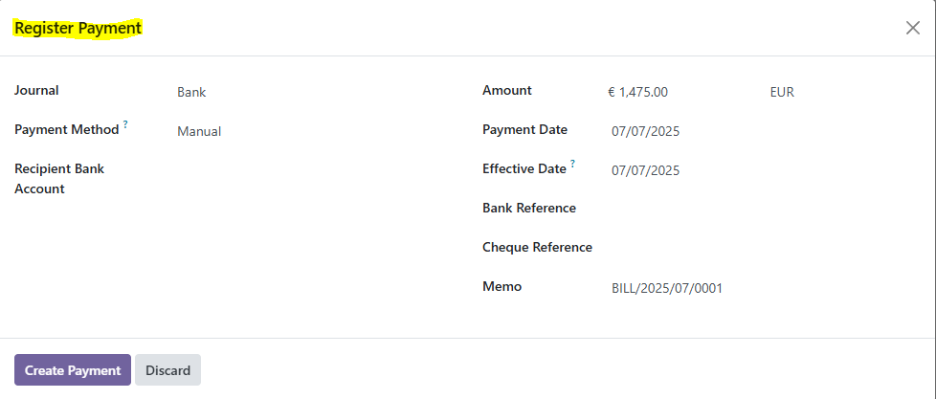
Once posted, you can register payment via bank, cash, or manual method.
🖥️ How Maltitask Helps
At Maltitask, we help businesses customize and automate their purchase operations.
Whether it’s auto-RFQ generation, multi-vendor logic, or custom invoice workflows, we tailor solutions for your exact needs.
👉 Need help setting up your Purchase Module?
📩 Talk to our team
🧠 Conclusion
MaltiTask’s Purchase Module gives you everything you need for a fast, flexible, and error-free procurement process. From creating RFQs to automating bills and stock updates, it’s all integrated in one smart system.
By using the best practices above—and with help from Maltitask—you can reduce manual work, improve vendor relationships, and keep your business stocked efficiently.