
💼 Getting Started with MaltiTask CRM Module
In today’s competitive business landscape, managing customer relationships effectively is key to success. With the right CRM system, you can track leads, improve customer interactions, and convert prospects faster.
MaltiTask CRM (Customer Relationship Management) module offers a user-friendly and customizable solution to manage leads, opportunities, and sales pipelines—all in one place. Whether you’re a startup or a growing enterprise, MaltiTask CRM empowers your team to organize and automate their sales activities for maximum efficiency.
In this blog, let’s explore how to get started with MaltiTask CRM and how it simplifies your customer management process.
🔧 Installing the CRM Module in MaltiTask
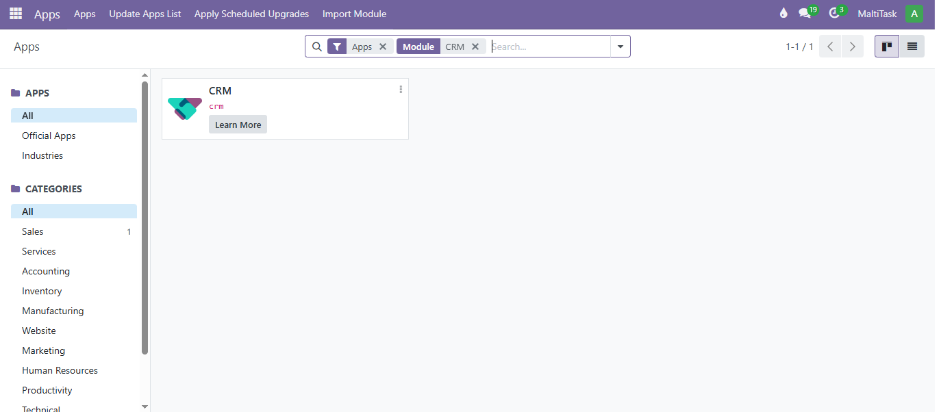
To start using CRM, you need to ensure it’s installed on your system.
📌 Menu Path:
Apps > CRM
Once found, click Install. After installation, the CRM module will appear in your main dashboard.
CRM Dashboard Overview
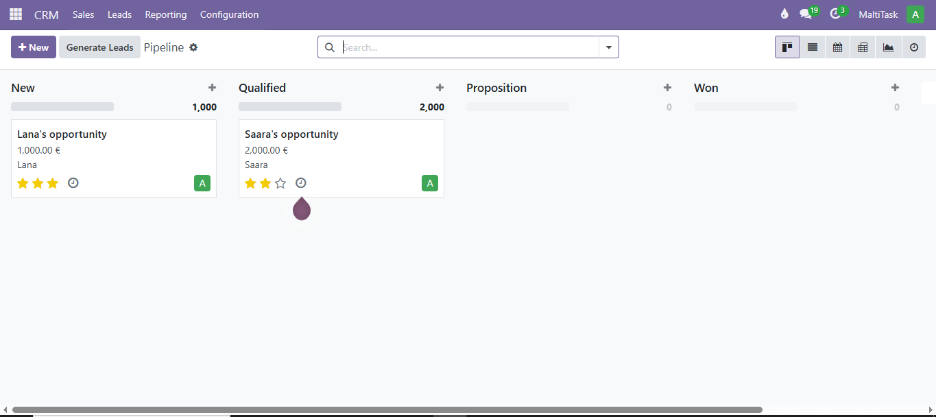
After installation, navigate to the CRM module. You’ll land on a visually organized Kanban view representing sales stages such as:
- New
- Qualified
- Proposition
- Won
Each column contains opportunity cards which can be dragged and dropped across stages based on progress.
️
📥 Creating Leads & Opportunities
There are two ways to enter customer data in MaltiTask CRM:
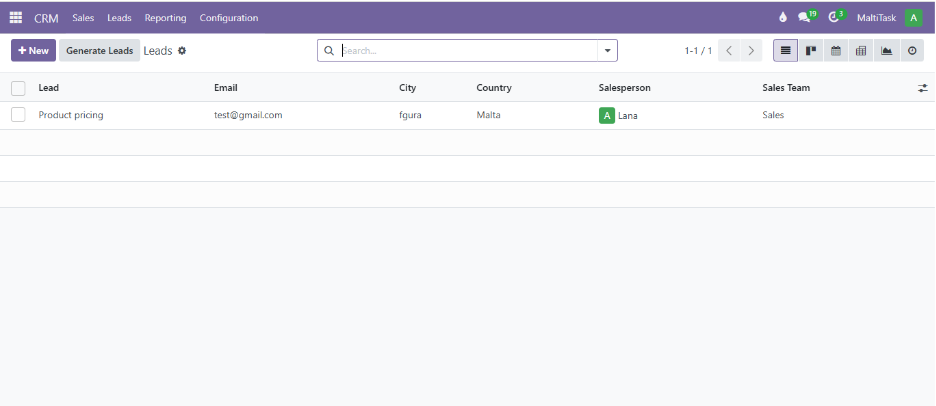
1. Creating a Lead
📌 Menu Path:
CRM > Configuration > Settings > Enable Leads
Once leads are enabled, go to:
CRM > Leads > Create
Fill in details such as name, email, phone number, and tags.
2. Creating an Opportunity
📌 Menu Path:
CRM > Pipelines > New
Opportunities are more actionable leads. Include estimated revenue, probability of closing, and salesperson assignment.
🎯 Managing the Sales Pipeline
With opportunities in place, you can manage their movement through the pipeline.
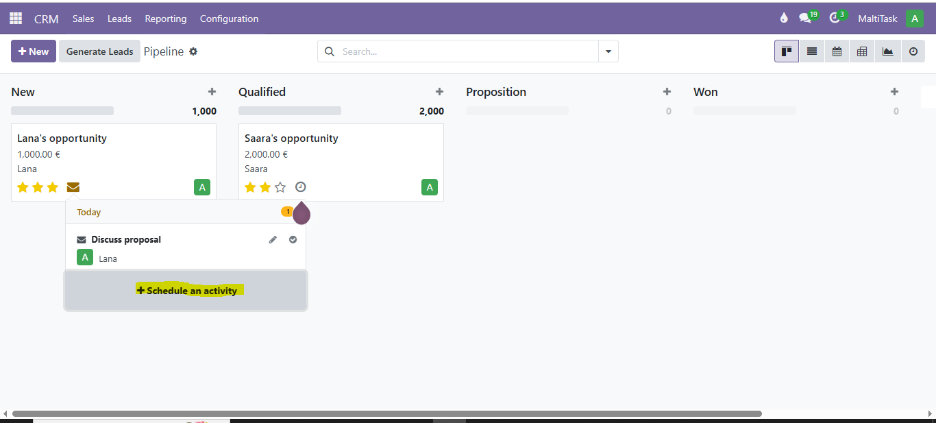
Key actions:
- Drag cards between stages
- Schedule activities (calls, meetings, emails)
- Log internal notes or communication
📌 Path for Activities:
Opportunity > Clock Icon > Schedule Activity
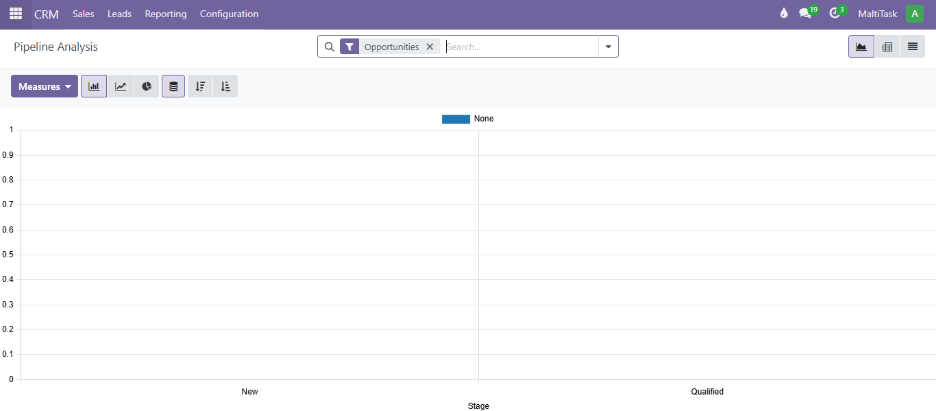
📊 CRM Reporting and Analytics
Track team performance and sales funnel with in-depth reports:
📌 Menu Path:
CRM > Reporting > Pipeline Analysis
You can filter by:
- Salesperson
- Stage
- Customer
- Expected Closing Date
🤝 How Maltitask Supports Your CRM Journey
At Maltitask, we help businesses unlock the full potential of CRM by:
- Customizing sales stages to match your funnel
- Automating lead capture from websites & forms
- Integrating CRM with Inventory, Sales, and POS
- Offering training & post-implementation support
📩 Contact us to set up your CRM today.
🧠 Final Thoughts
MaltiTask CRM simplifies the entire customer journey—from lead generation to deal closure. It’s intuitive, scalable, and integrates seamlessly with your business operations.
By mastering the CRM basics, your team can boost productivity, track KPIs, and close more deals in less time. Start now and empower your sales process with MaltiTask.